
SoftNotes document management system Snap it. Send it.
SoftNotes files it.
An invoice, a contract, a delivery note, minutes or a photo from the field: SoftNotes reads the document, recognises what it is and suggests where it belongs. You just confirm. The company’s documents are in one place – connected to the ERP, to Finance and to the people who work with them.
- Fully built into the ERP: one login, the same partners, the same people
- Your own collections from ready-made collection and document types – modelled on Lotus Notes
- The same SoftNotes on your computer and on your phone
Five jobs in one system.
In SoftNotes it is all one, with the same people, the same partners and the same ERP.
Capture and OCR
Phone, scanner, e-mail, drag and drop.
Filing
A suggested type, collection and branch for every document.
Document management system
Collections, branches, seven tree layouts.
Invoice approval
Incoming invoices from entry to Finance.
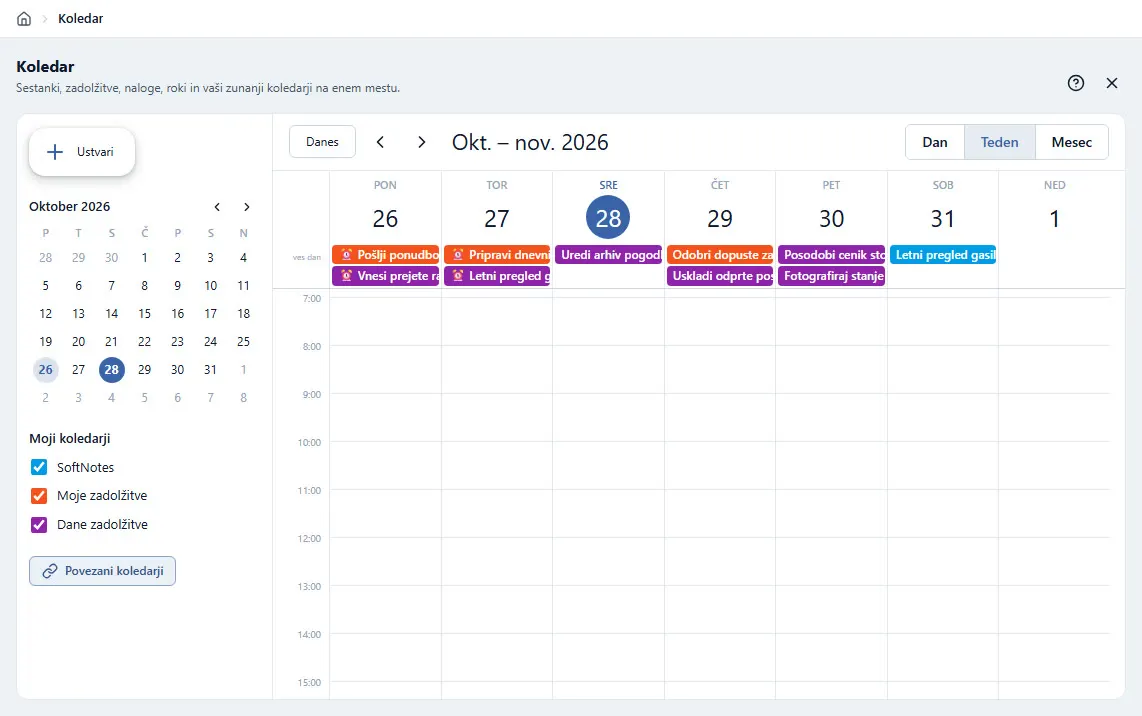
Calendar and tasks
Deadlines, meetings, team tasks.
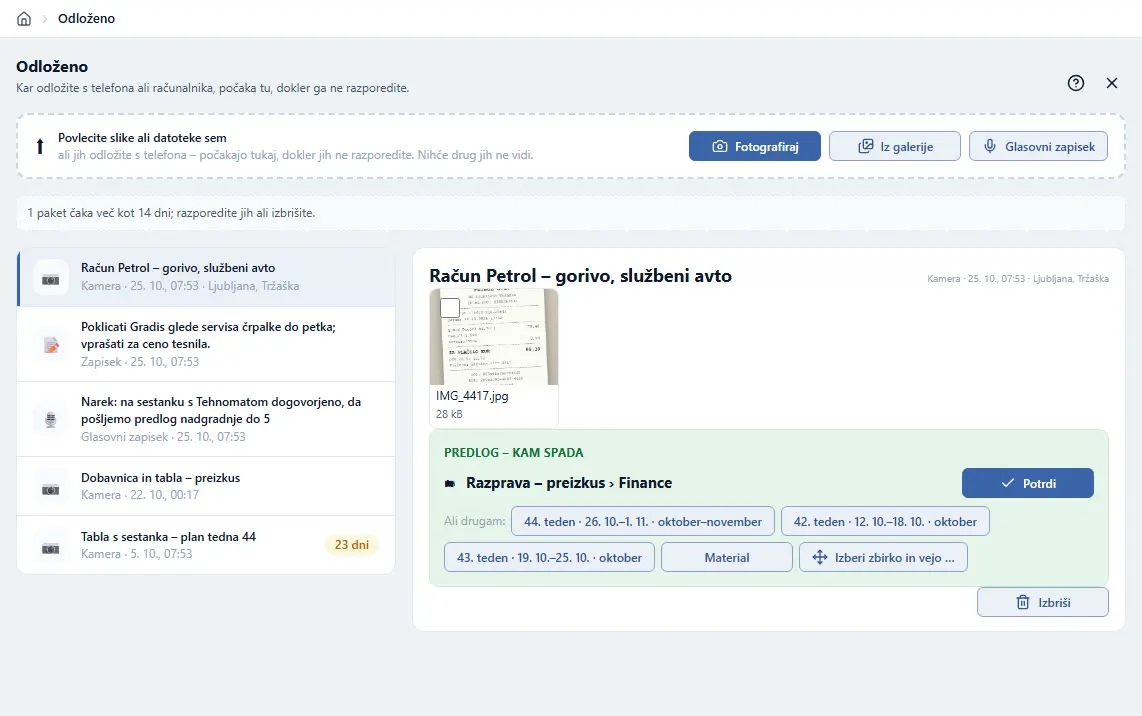
From a photo to the right place in the collection – without typing.
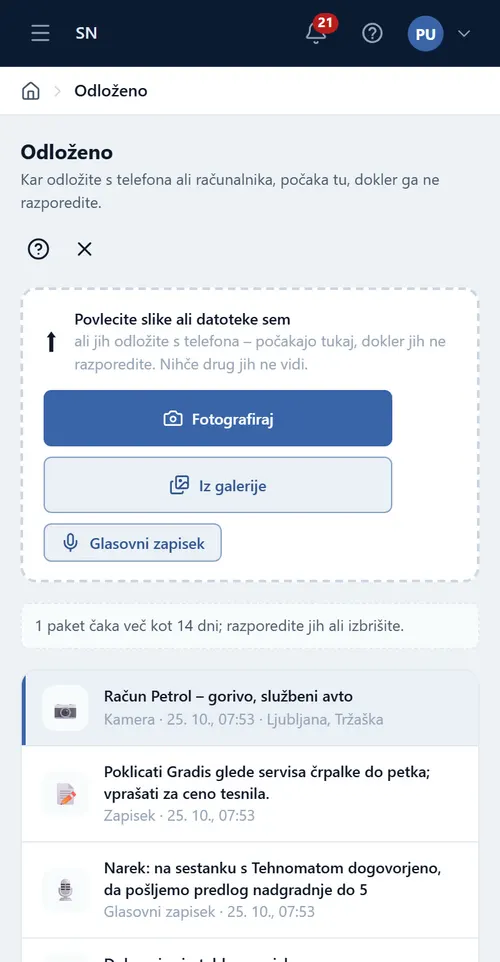
You snap the document with your phone, drag it onto the screen or send it by e-mail. SoftNotes reads it and suggests where it belongs. Whatever you set aside waits in your own tray until you file it – nobody else can see it.
Snap it or send it
A photo, scan, PDF, e-mail or voice note – everything arrives in the same place.
SoftNotes reads it
OCR reads the text, even from a photo. An invoice is read in full: supplier, amounts, VAT, line items.
Suggests where it belongs
The collection and branch where the document belongs. Confirm with one click or choose another.
In the right place
The document is in the collection, the right people can see it, and in the ERP it sits next to the record it belongs to.
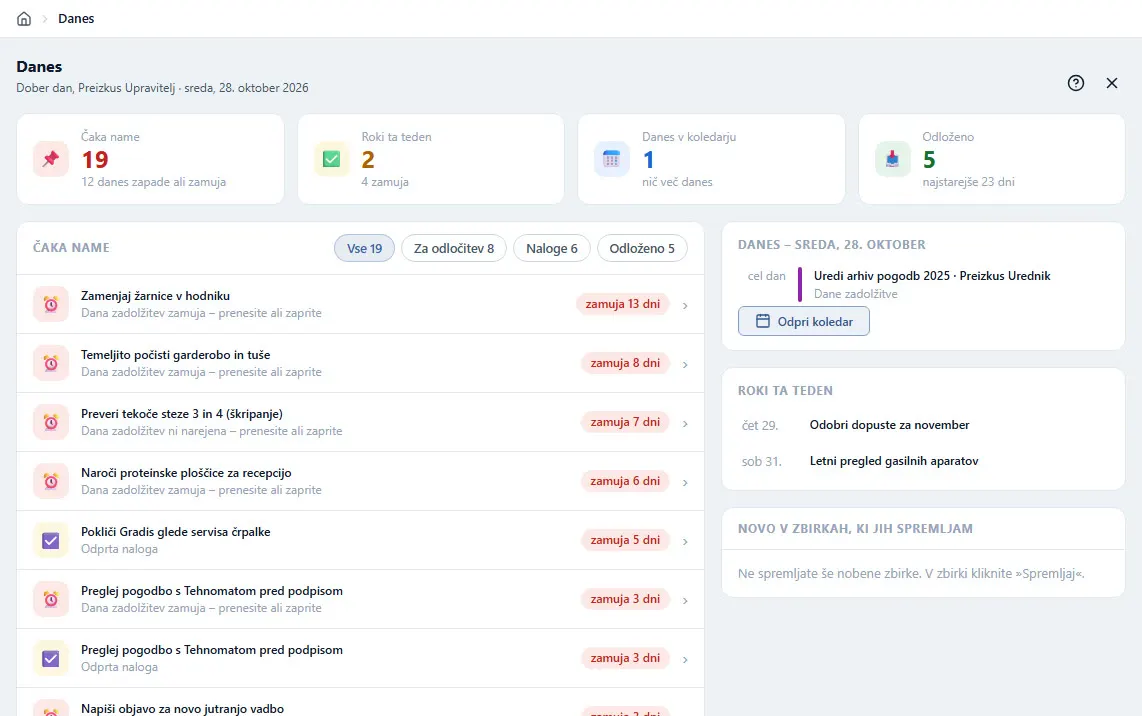
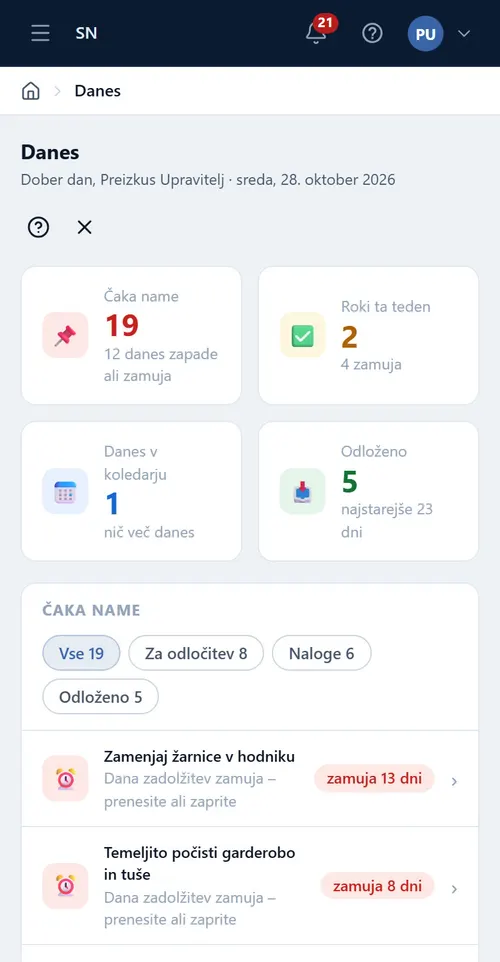
In the morning you open one screen and know what is waiting for you.
Today gathers everything that needs your action: invoices to approve, decisions, tasks and deadlines falling due, meetings in the calendar and documents set aside. Anything overdue is shown in red.
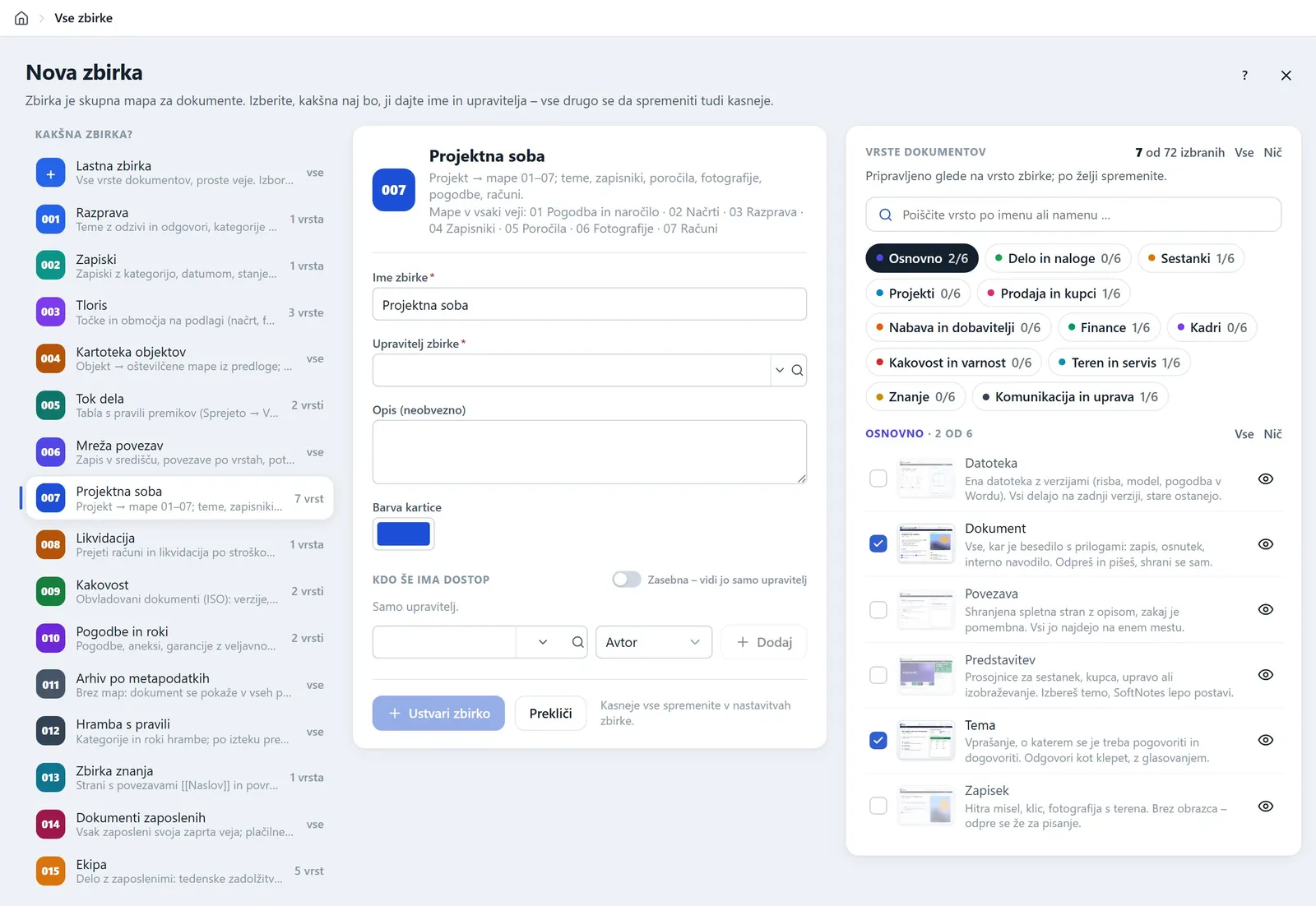
Custom collections. Everyone chooses how they see them.
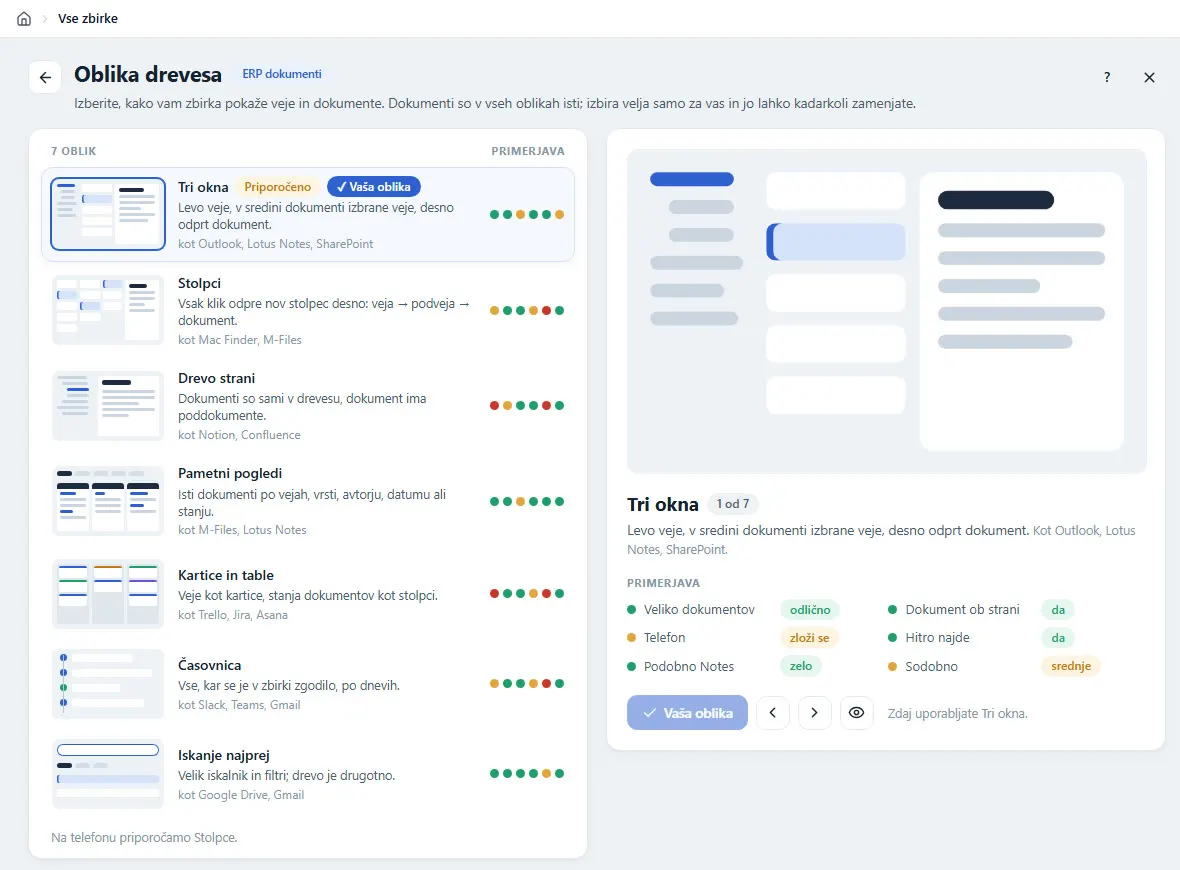
A collection is a shared company folder with branches, document types and permissions – down to an individual branch. Choose a ready-made collection type or create your own. The same collection has seven tree layouts; each user picks their own, and nobody else is affected.
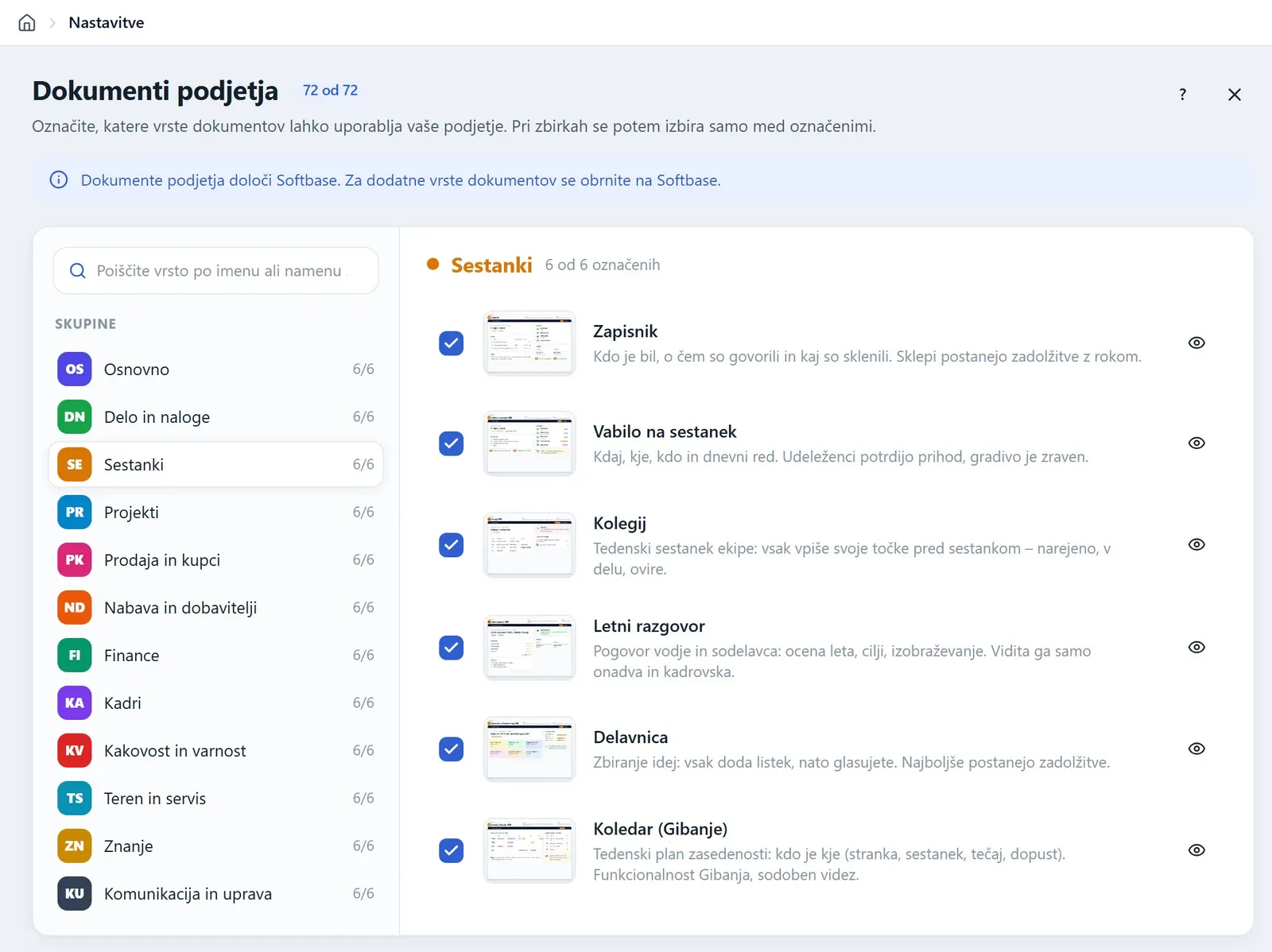
Every document type has its own form.
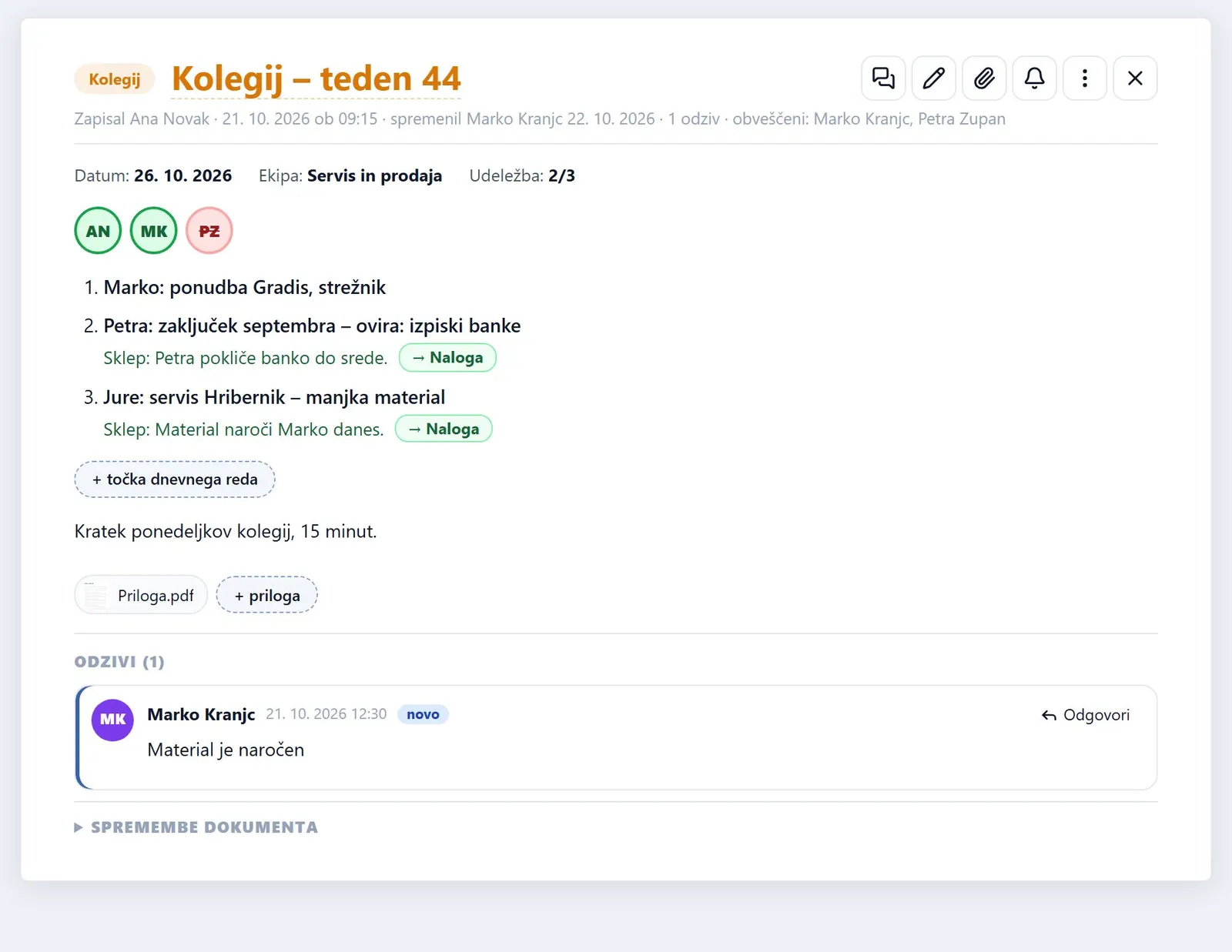
A document is a structured sheet with the fields of its type – a staff meeting has agenda items and resolutions, a quote has line items and prices, an incoming invoice has amounts and VAT. The conversation stays with the document: comments and replies, attachments anywhere in the text, a history of every change.
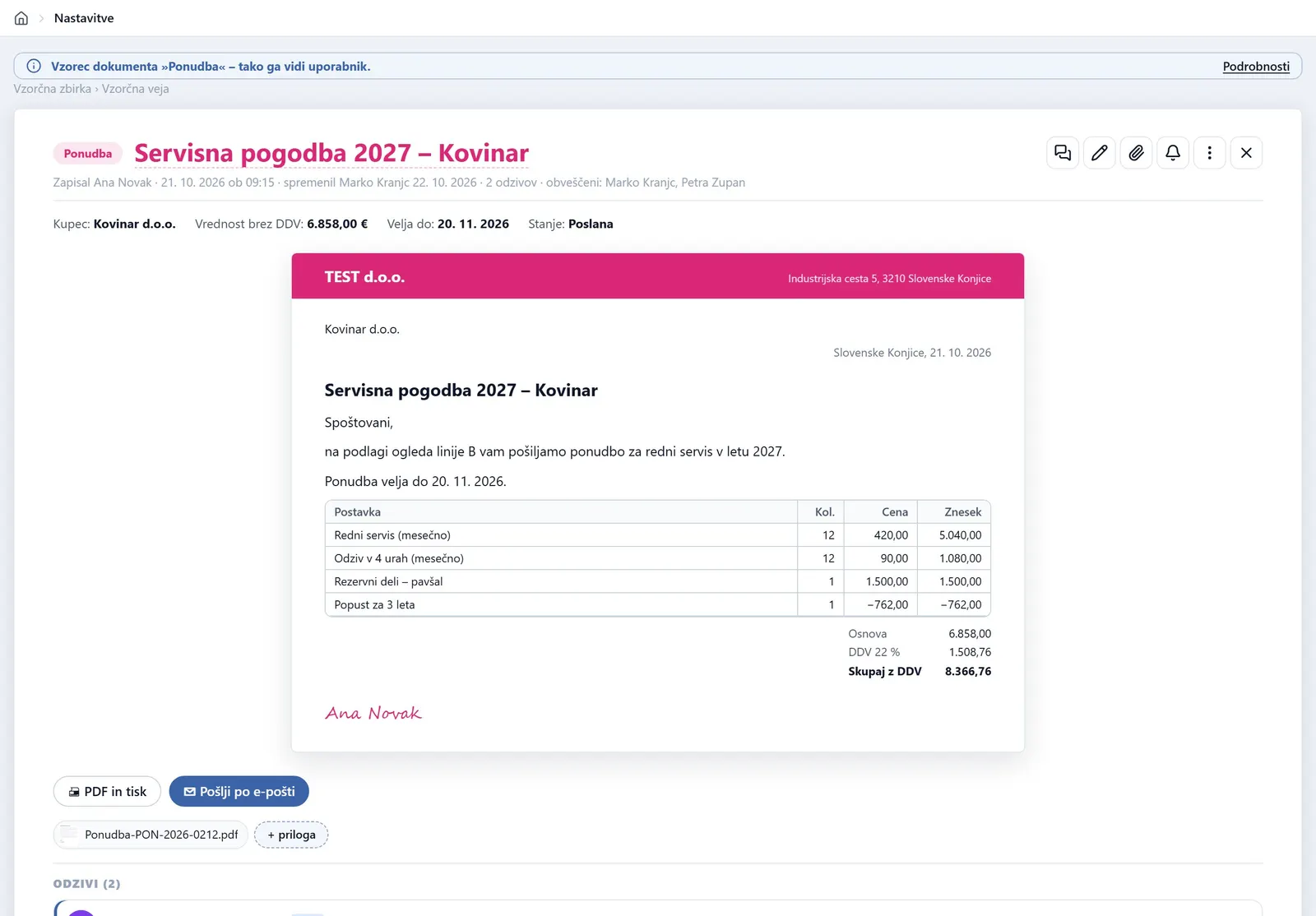
Attachments anywhere
Drag a file into the text or onto the document; the preview opens alongside.
Comments and replies
The discussion stays with the document, not in e-mail.
History
Who changed what and when – for every field.
Sending
Send the document by e-mail straight from SoftNotes.
Find anything in an instant. Even what was only photographed.
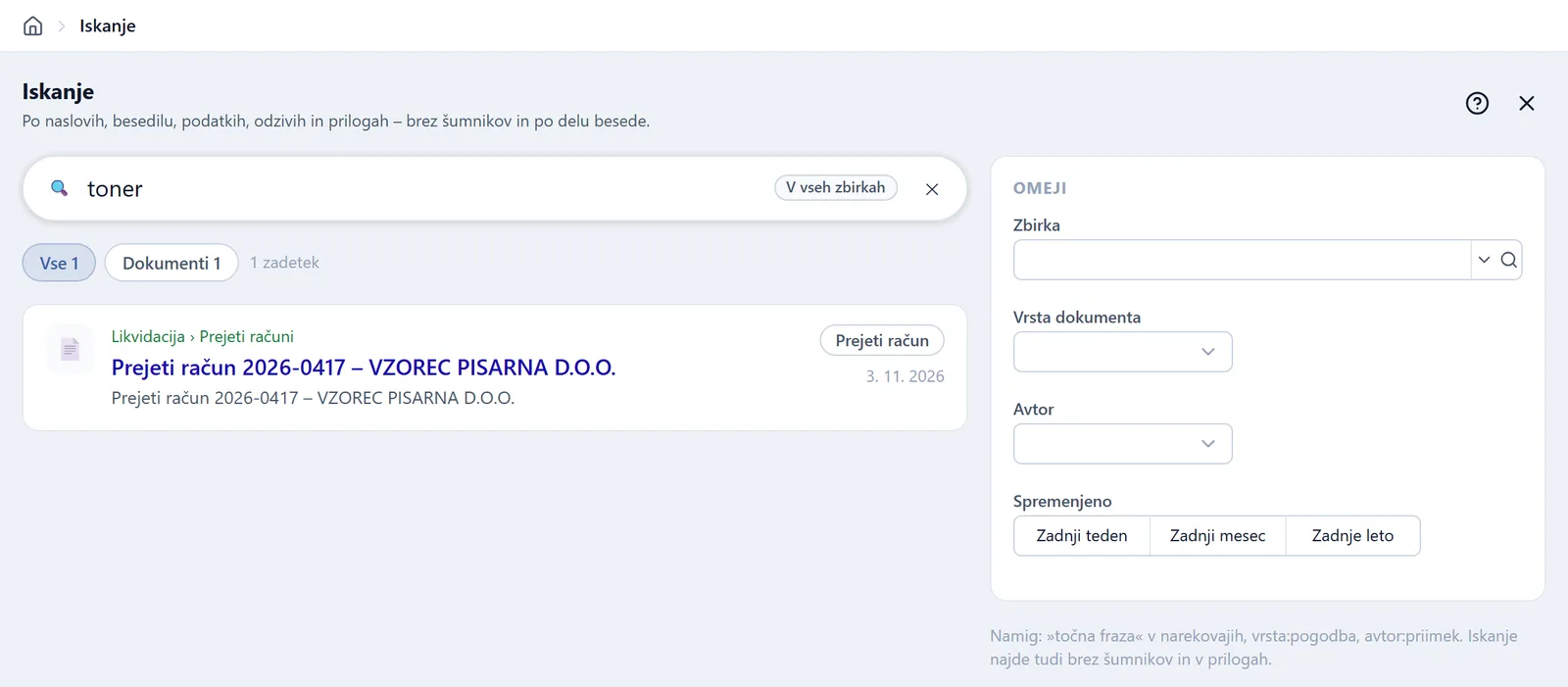
Every scan, photo and PDF goes through OCR: text from paper becomes searchable. One field searches titles, text, fields, comments and attachments – in all collections you have rights to.
- Search without diacritics and by part of a word
- Search by attachment content
- Filter by collection, type, author and date
- You only see results you are allowed to see
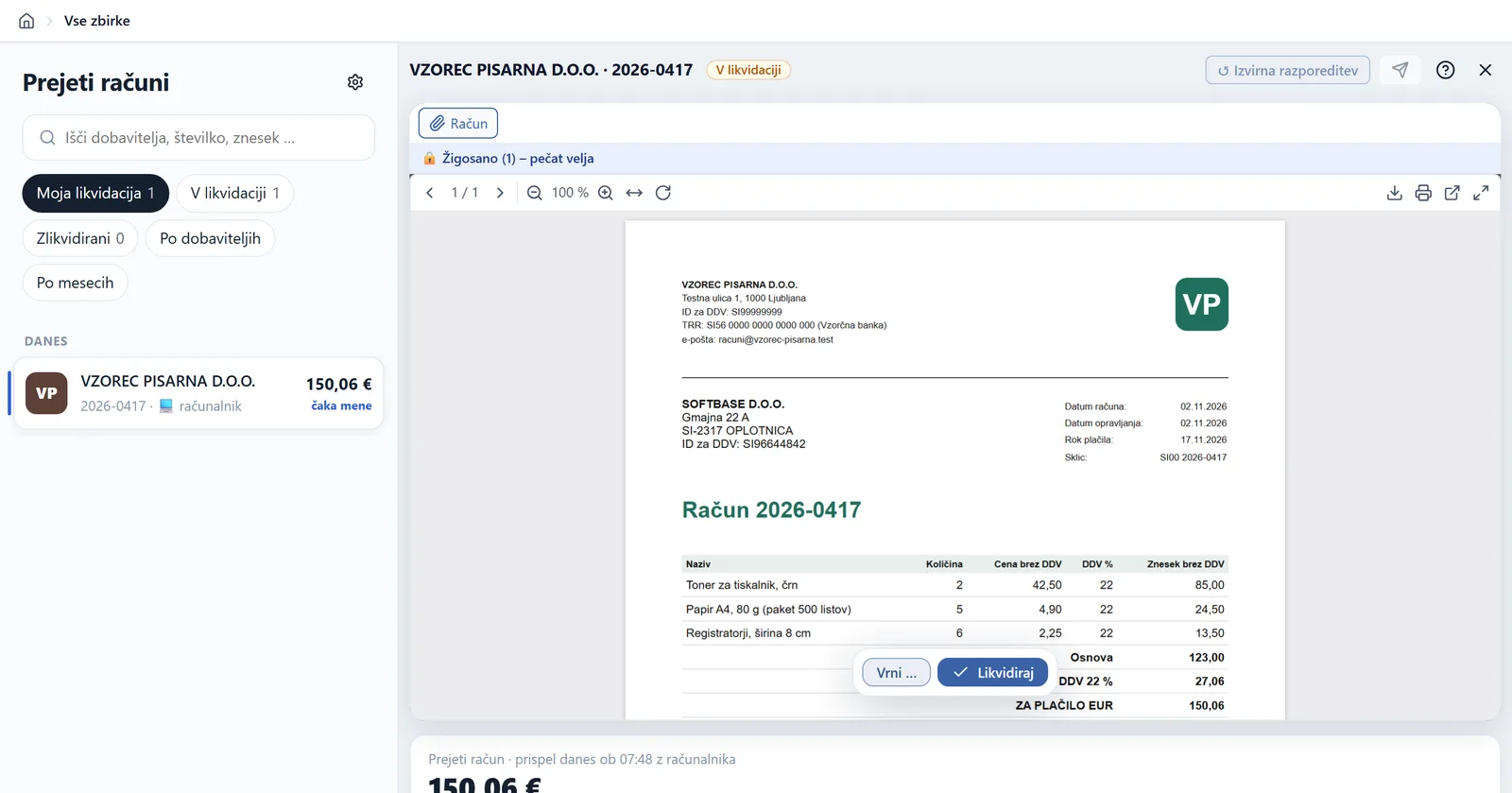
The invoice arrives by e-mail or from a phone. It goes to Finance approved.
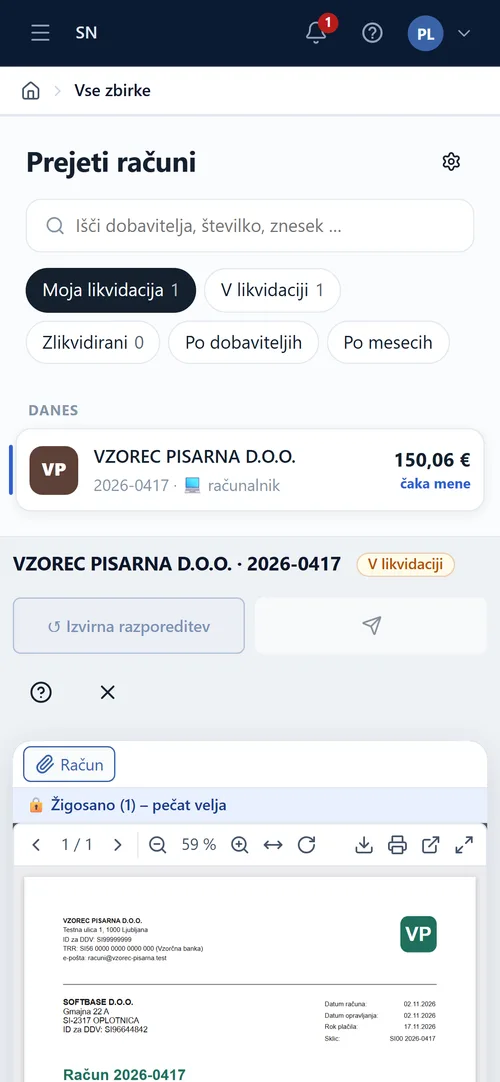
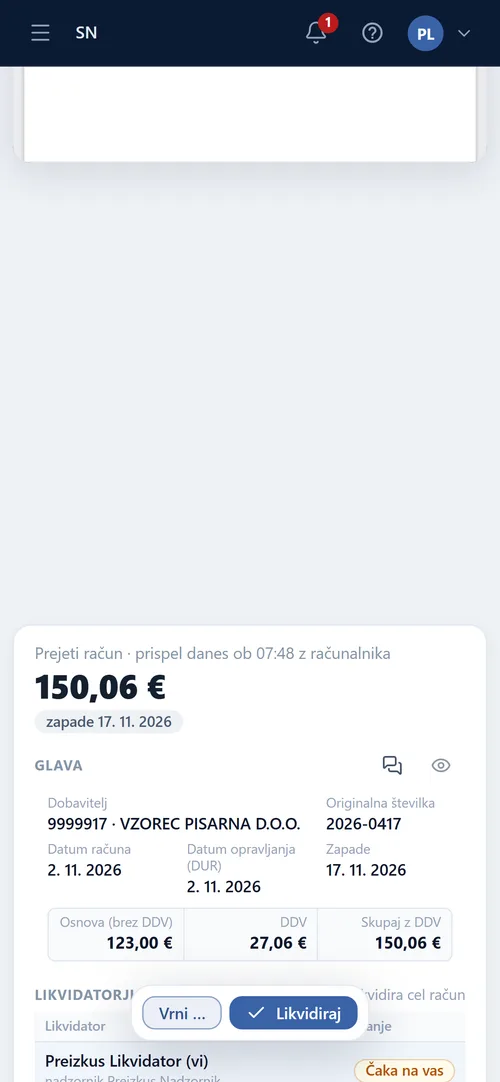
SoftNotes reads the incoming invoice in full and sends it to the approvers. Each of them approves on a computer or phone, with the original in front of them; the supervisor confirms at the end. Once the invoice is approved, it is ready for posting in Finance – with the original kept alongside it.
How an invoice moves through the company
A document flow simulation, every route from the data entry clerk to Finance, and the screens on computer and phone.
Not a separate program. Part of the ERP and all Softbase software.
One login, one menu, the same partners, the same people and groups. SoftNotes keeps the originals alongside the ERP records: in Finance, a posted incoming invoice has its original right next to it – one click and the document is in front of you.
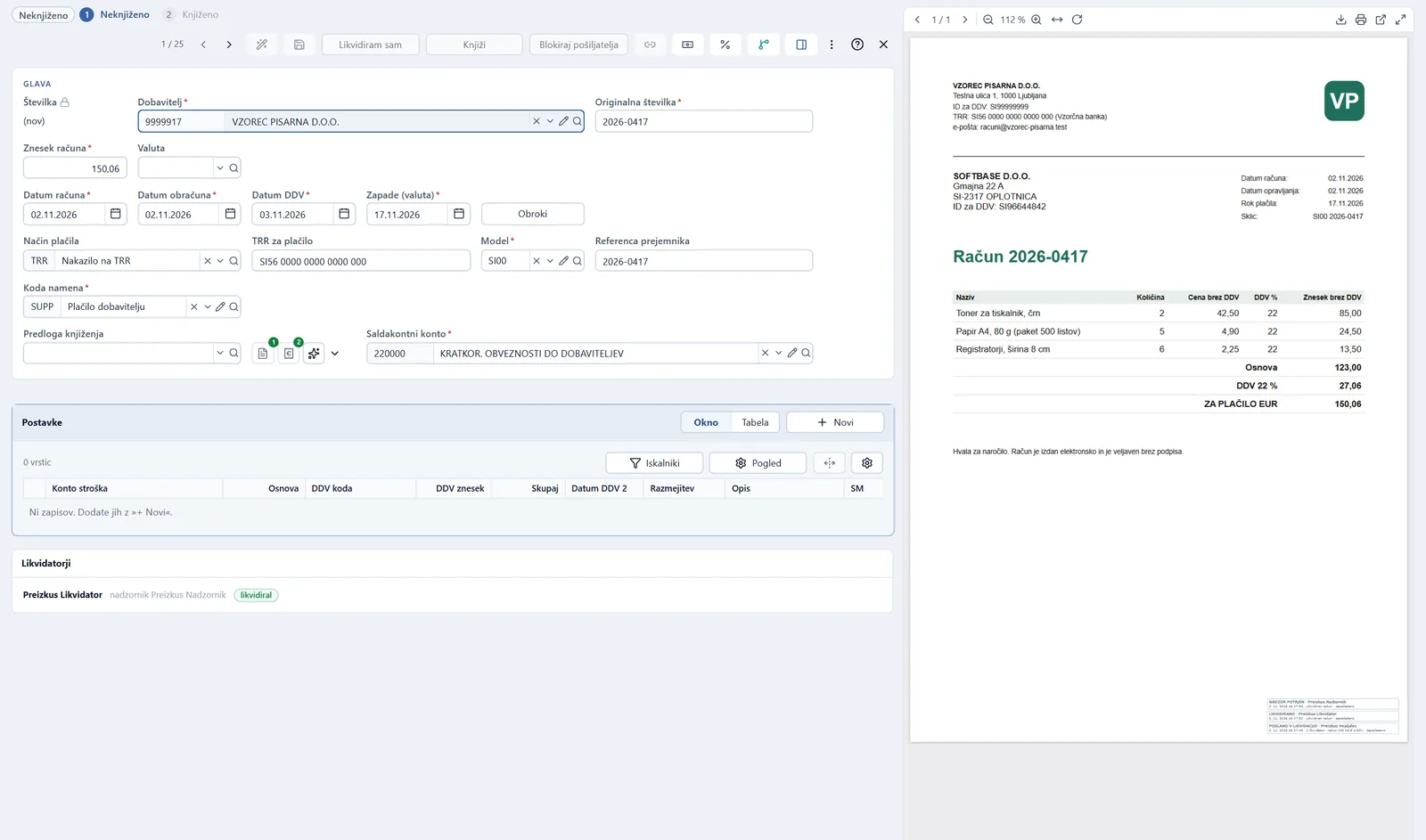
Partners from the ERP
The supplier on the invoice is looked up in the partner register by VAT ID.
People, groups and roles
Assign permissions to people, teams and roles from the ERP.
The company mailbox: whatever arrives is filed in the right collection.
The same SoftNotes in your pocket – in the field too.
Snap an invoice or a delivery note, leave a voice note, see what is waiting for you and approve an invoice – on your phone, with no special app.
Everyone sees what they are allowed to. And you know who opened what.
Branch-level permissions
Reader, Author, Editor, Manager – on a collection or an individual branch.
Access trail
Who opened, changed or sent a document.
Recycle bin with restore
Deleted items can be restored; nothing disappears by mistake.
Separated by company
Each company’s data and files are kept separate.
Frequently asked questions.
What is SoftNotes?
How does a document get into SoftNotes?
How fast can I find a document?
How does incoming invoice approval work?
Who can see which documents?
SoftNotes is part of Softbase software.
Business enquiries: