
Incoming invoice approval
OCR enters the invoice by itself, each approver confirms their part – on a computer or on a phone – the supervisor confirms their work, and the approved invoice goes to Finance.
The document in electronic form
For approval, we need the incoming invoice as a document in electronic form
The electronic form can be: phone – snap the invoice · e-mail · scanner · PDF · any other electronic form.
Snap a paper invoice with your phone and it is in SoftNotes instantly. Invoices that arrive by e-mail are filed in SoftNotes automatically.
OCR reads the invoice – entry is automatic
When an invoice arrives, OCR reads it: the supplier, original number, dates, due date, amount, tax base and VAT, bank account (TRR), payment reference and purpose code. Nothing needs to be retyped – the data entry clerk just checks it.
Two entry points
Entry A – from SoftNotes
The document in electronic form arrives in SoftNotes. The data entry clerk splits the invoice by cost centre and sends it for approval.
Entry B – from Finance
The accountant enters the invoice directly in Finance, attaches the document in electronic form and sends it for approval from there.
The data entry clerk sends the invoice for approval
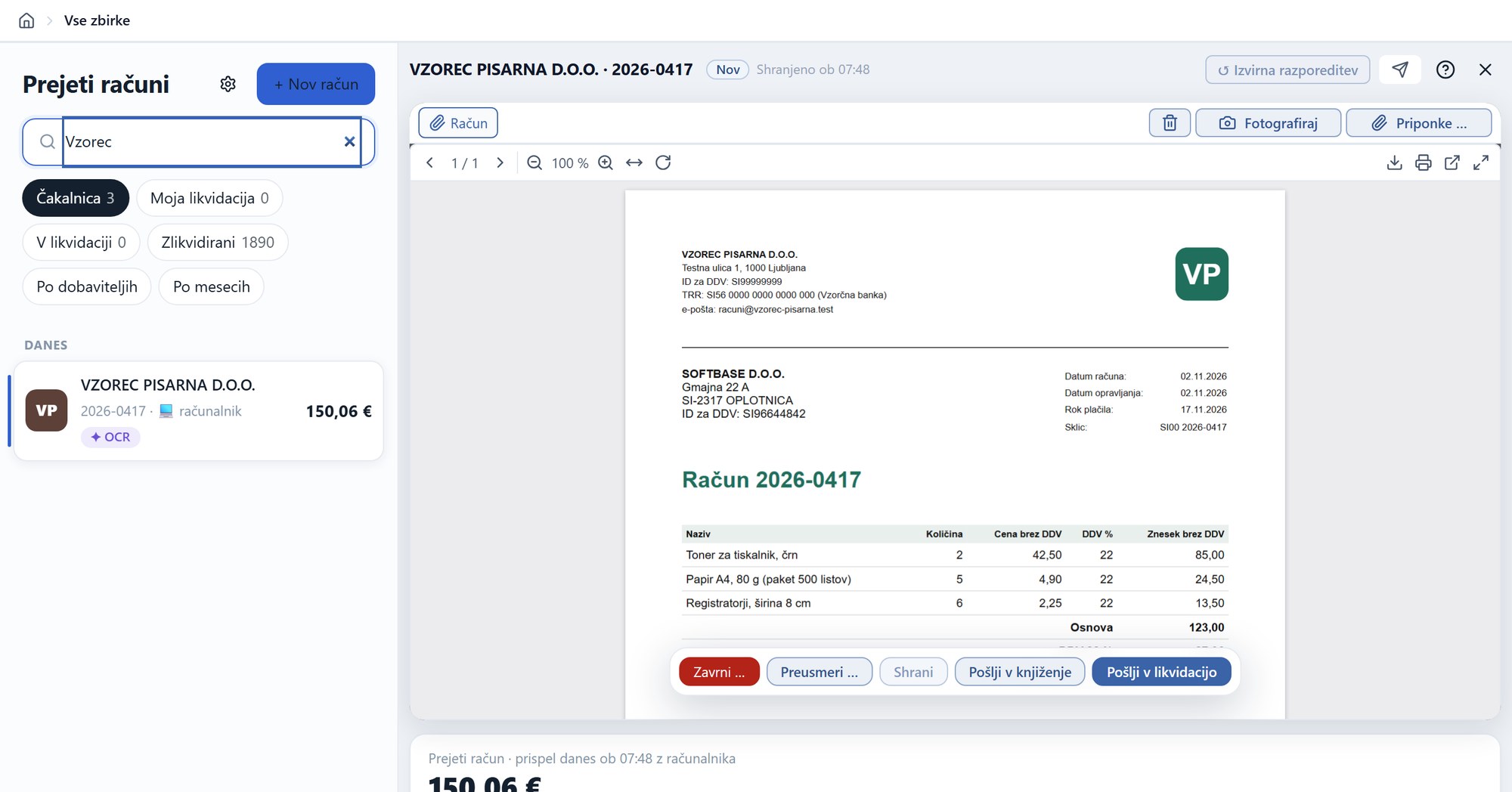
The data entry clerk sees the original and the data that was read. The split by cost centre and the approvers are suggested by the supplier settings – one click on “Send for approval”. Anything that is not our invoice is rejected; anything that is not an invoice is redirected to another collection.
The approver confirms their part
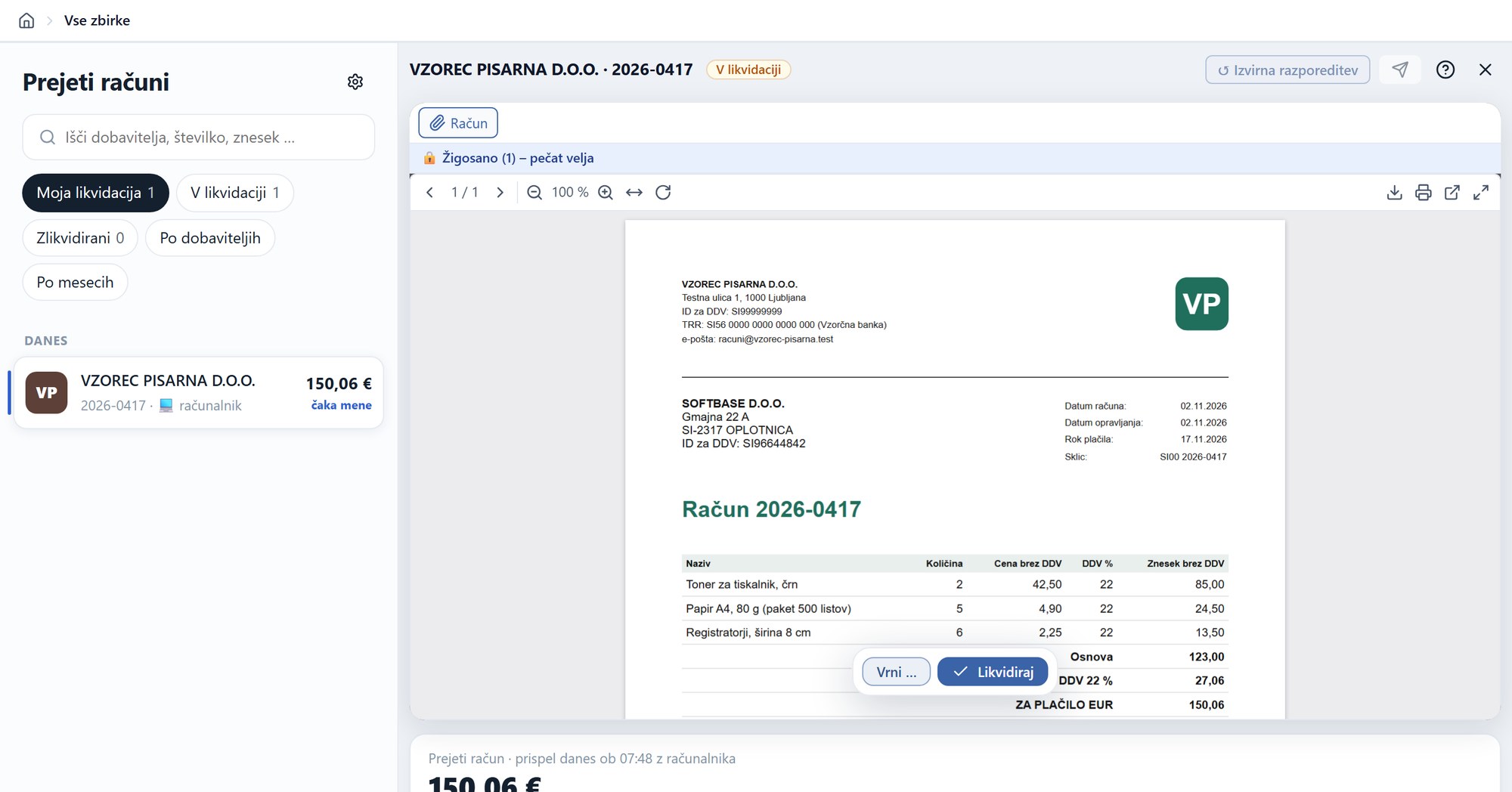
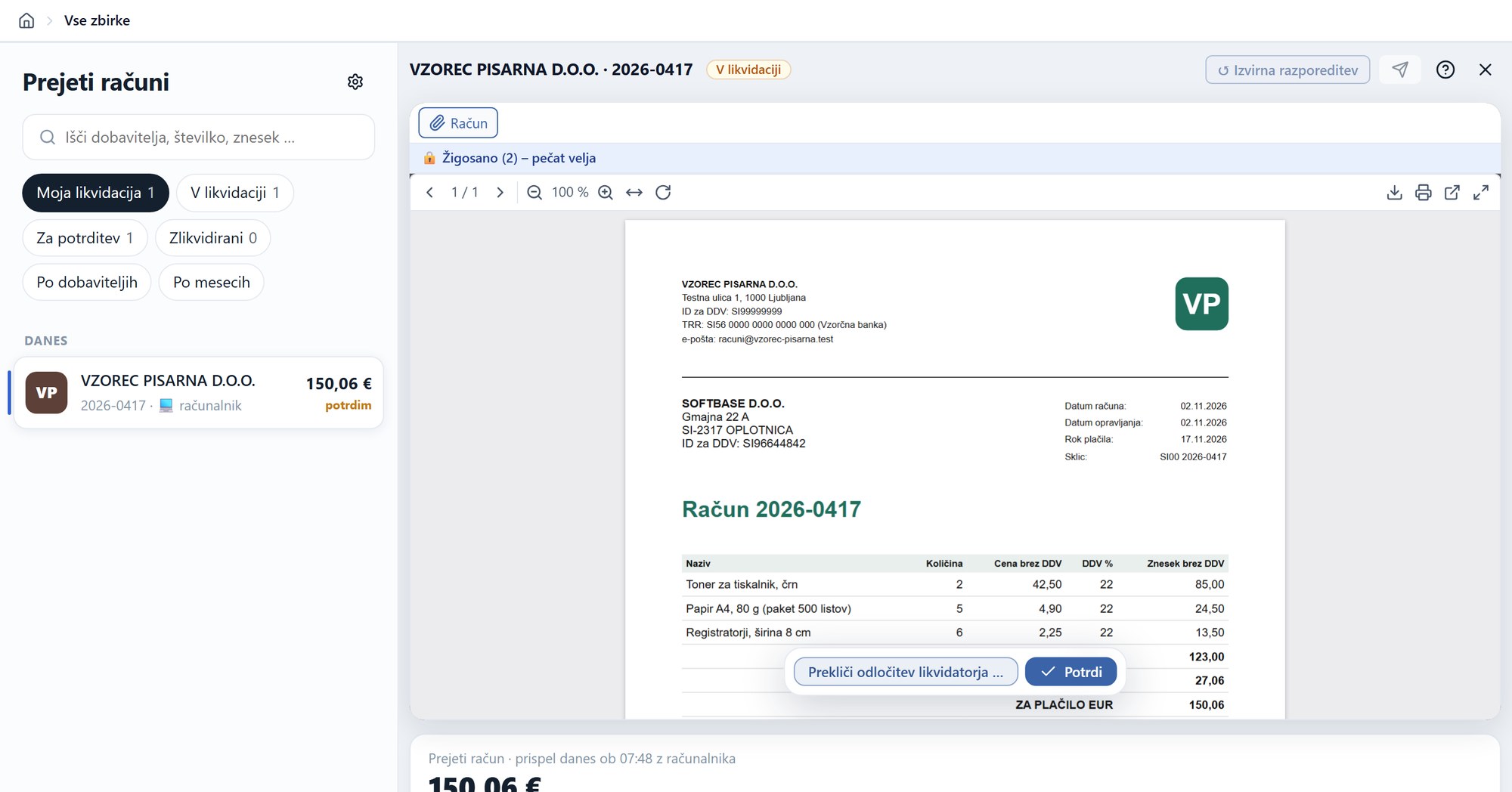
In “My approvals”, the approver sees the invoices waiting for them. The original is in front of them, stamped – Approve, or Return with a reason.
Approval on your phone
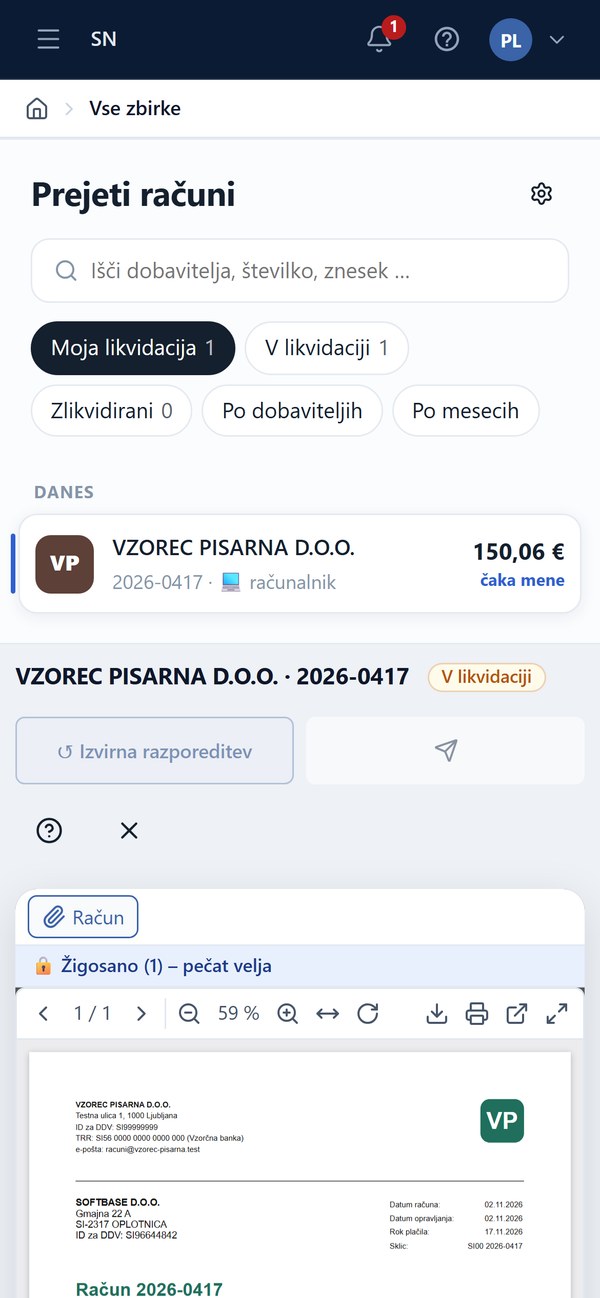
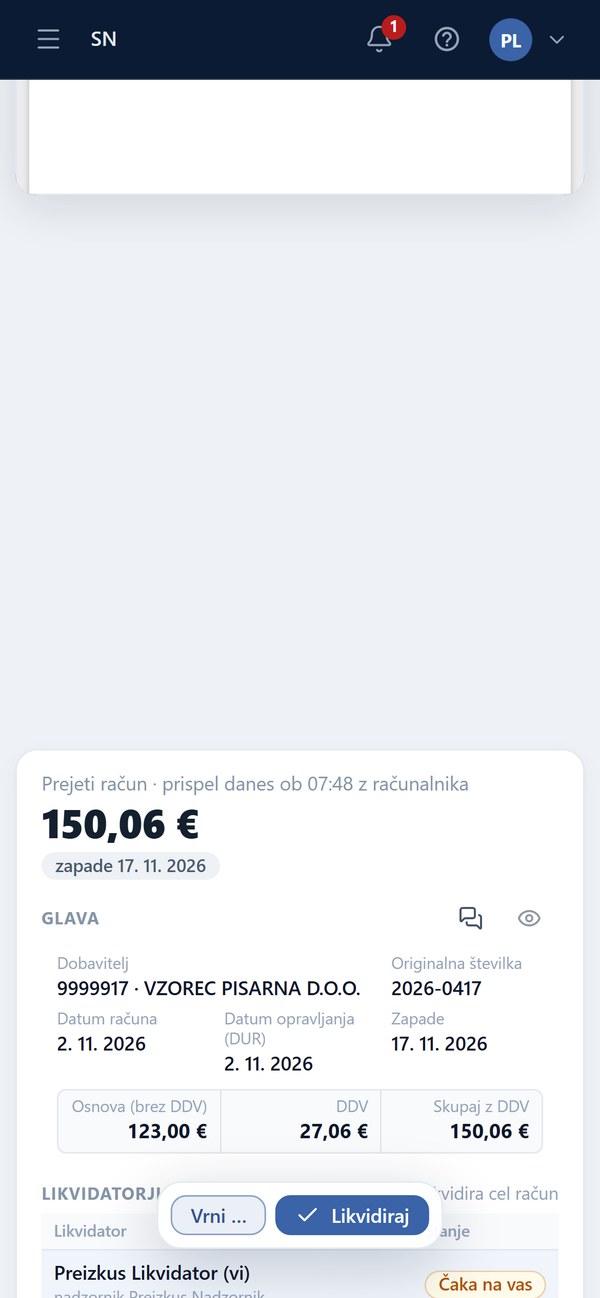
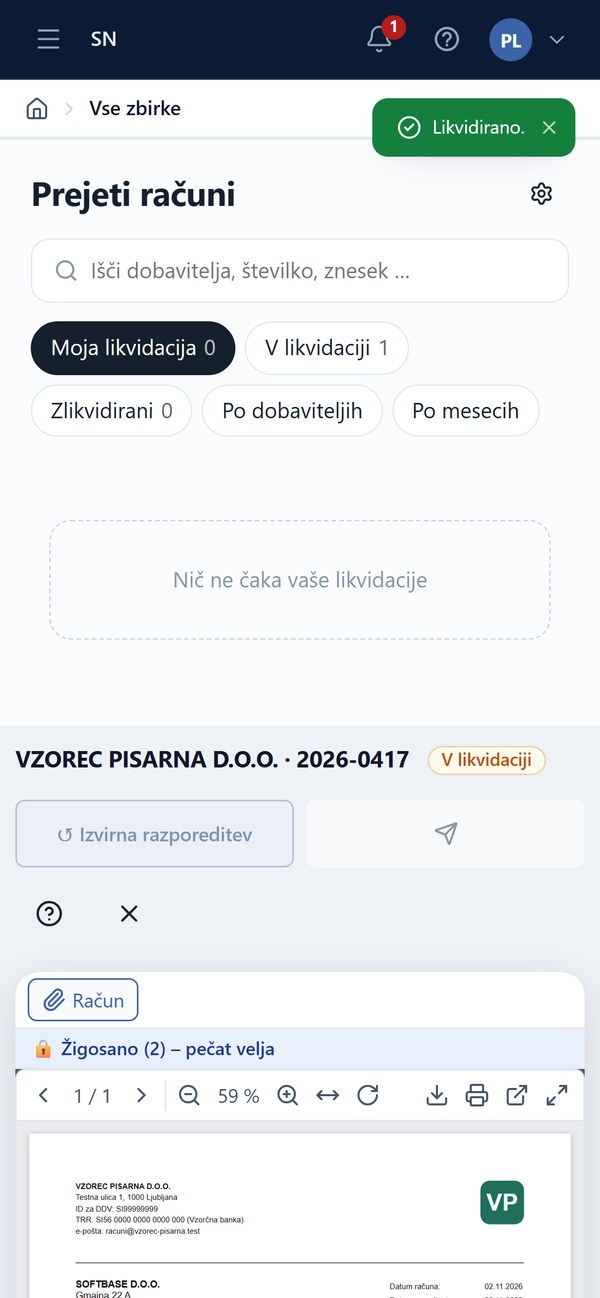
The approver does not need a computer. On the phone they see the invoices waiting for them, open an invoice with its original and data – and tap Approve. Anywhere, any time.
The supervisor confirms
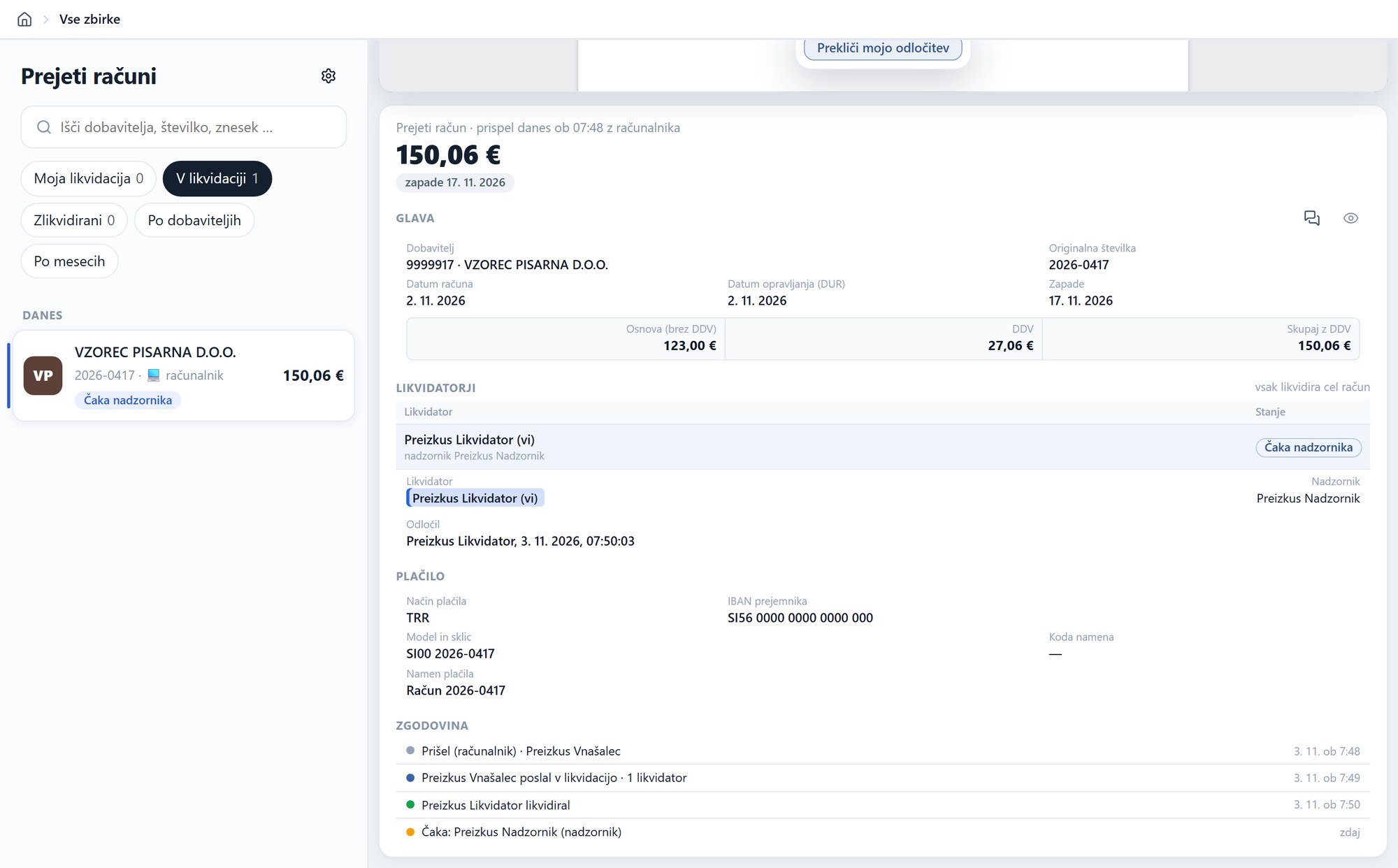
The supervisor sees what the approver has approved and confirms it – or cancels the approver’s decision, giving a reason. When all lines are confirmed, the invoice is approved and goes to Finance.
Document flow simulation
Invoices as trains on tracks: the stations are people, the points are decisions. The simulation shows both entry points and every branch line.
- Multiple cost centres – lines go to different approvers at the same time and are merged again before Finance.
- Return – the approver returns the invoice to the data entry clerk with a reason; lines that do not change keep their approval.
- Cancel – the supervisor returns a line to the approver with a reason.
- Withdraw – the data entry clerk withdraws the invoice from approval, corrects it and sends it again.
- Reject – the invoice is not ours or is incorrect; it does not go to Finance.
- Redirect – the document is not an invoice and goes to another collection.
- Deadline and reminder – once the deadline passes, the supervisor is notified; the Remind button chases everyone who is still pending.
- Substitution – a deputy approves in place of an absent approver.
- Super approver – approves any line; a mark stays on the invoice.
- Cancelling your own decision – as long as the invoice is not yet in Finance.
SoftNotes
Invoice approval is one of the SoftNotes collections – the company’s document management system.